A Private Social Media Album Alternative for Families
Social media albums are convenient, but they are not built for long-term family memory keeping. Here is how to create a private, calmer archive with dates, collections, routines, and slideshows.
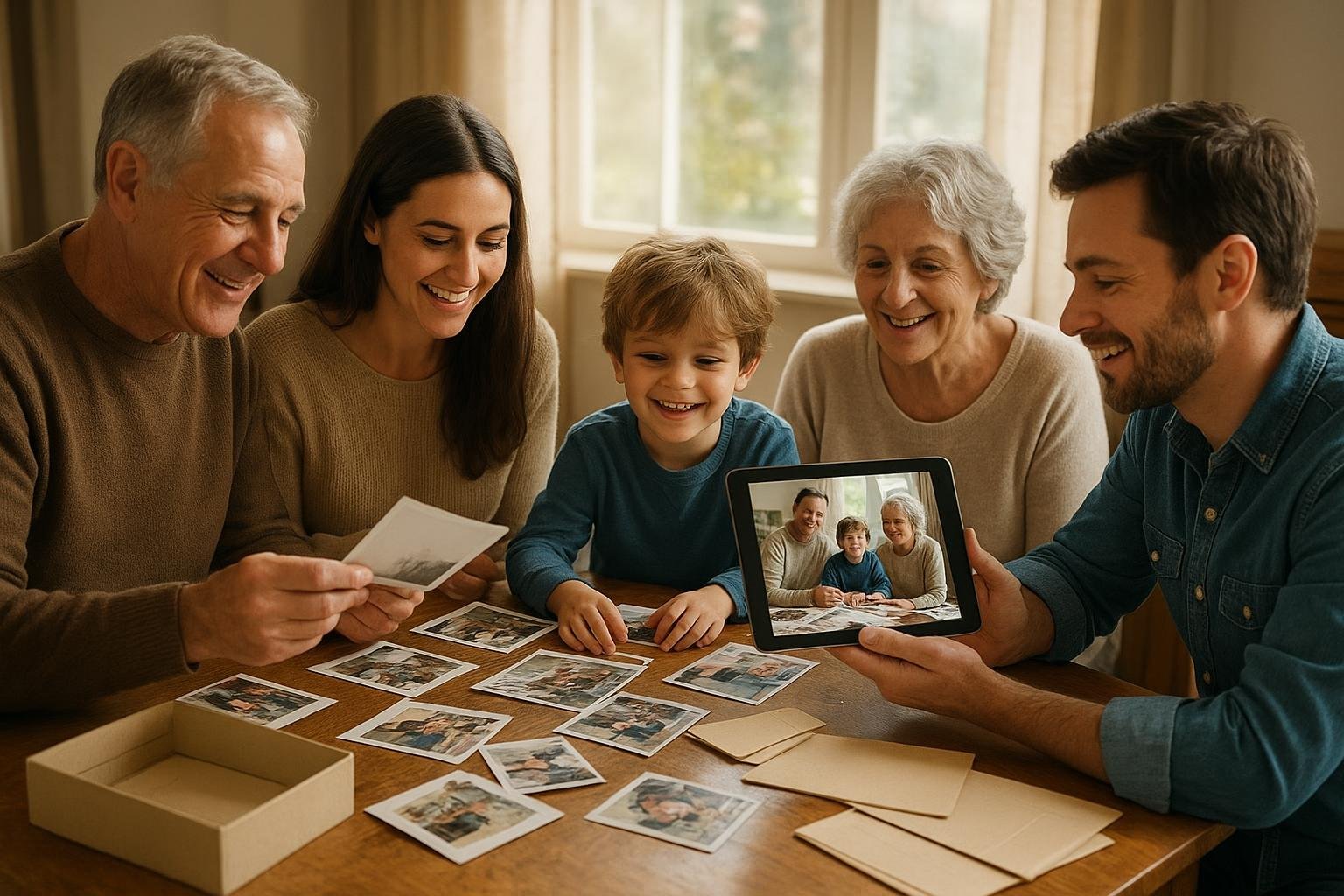
There is a moment many families recognize: someone asks for a photo from last summer, a baby video from five years ago, or the best pictures of Grandpa for his birthday slideshow, and everyone starts searching a different place. One person checks a phone. Another opens a cloud folder. Someone scrolls through an old social account. The photos are there somewhere, but the story is scattered.
That is why more families are looking for a private alternative to social media albums. They still want the delight of sharing memories, but without turning family life into a feed. They want a place that feels calm, organized, and personal. They want old photos, new videos, dates, collections, and slideshows to belong together instead of disappearing under notifications, comments, ads, and endless scrolling.
Timeless was created for that kind of memory keeping. It helps families turn media into dated timelines, meaningful collections, and preserved stories that can be enjoyed now and revisited later. You can explore the product at https://timeless.mydayzy.com/ or see how its memory organization tools work at https://timeless.mydayzy.com/features/.
Why social media albums stopped feeling like home
Social albums once felt convenient because everyone was already there. You could post vacation pictures, tag relatives, and let people react. But convenience is not the same as preservation. A social platform is built to keep people scrolling, not to help your family understand its own timeline.
For many parents and caregivers, the issue is privacy. Children grow, family situations change, and not every milestone belongs in a public or semi-public space. Even when privacy settings are carefully chosen, the experience can still feel exposed. A cousin may share a post wider than expected. A relative may download an image. A platform may change its settings, layout, or policies. The album never fully feels like yours.
For grandparents and extended family, the problem is often usability. A memory shared in a feed can be hard to find again. People who do not use the platform daily may miss the post entirely. Those who do use it may still have to sift through unrelated updates, sponsored posts, and algorithmic recommendations before they reach the family moments they care about.
For the family historian, social albums also flatten time. A birthday post, a school concert, a scanned wedding photo, and a short video from the kitchen can all appear as isolated posts. What is missing is continuity: the sense of how one year led to another, how traditions repeated, how children changed, how homes, places, and relationships evolved.
What a private family album should do instead
A stronger private album is not just a hidden version of a social feed. It should work more like a living family archive: organized enough to be useful, warm enough to revisit, and simple enough that busy people will actually maintain it.
The best setup helps you do four things well. First, it gives every photo and video a reliable place to live. Second, it keeps media connected to dates, so your family timeline becomes easier to browse. Third, it lets you create collections for events, people, seasons, places, and themes. Fourth, it turns the best moments into stories and slideshows without requiring you to become a professional archivist.
This matters because families do not usually have one tidy use case. A parent may want to save everyday childhood clips. An adult child may be digitizing boxes of old photos after a move. A grandparent may want a slideshow for a reunion. A blended family may need thoughtful collections that respect different households. A photo organizer may be helping relatives preserve decades of media. A good private system supports all of these situations without forcing everything into a public-facing album.
Start by separating sharing from preserving
One reason family photo collections become stressful is that sharing and preserving get mixed together. Social media encourages the question, “What should we post?” Preservation asks a better question: “What do we want to keep, understand, and pass on?”
That shift changes the whole process. You do not need to save every blurry burst shot or every nearly identical photo from the school play. You also do not need to choose only polished images. The goal is not performance. The goal is memory.
Try sorting family media into three simple groups:
- Keep for the record: clear photos and videos that show people, places, events, milestones, traditions, or relationships.
- Keep for feeling: imperfect but meaningful moments, such as a toddler laughing, a handwritten recipe on the counter, or cousins asleep after a long trip.
- Let go: duplicates, accidental screenshots, outtakes with no value, and repeated clips that make the collection harder to enjoy.
This is where a private archive becomes more useful than a social album. You can preserve context instead of only highlights. A rainy vacation photo may not be post-worthy, but it may perfectly capture the trip everyone still talks about. A quick video of a family song may matter more than a posed portrait. A scanned photo with the right date may connect a grandchild to a relative they never met.
Build a timeline before you build albums
Most families think in albums: Christmas, beach trip, soccer season, graduation. Albums are helpful, but a timeline gives those albums structure. When media is organized by date, your family can see the order of life. You can move from a newborn video to a first birthday, from an old house to a new one, from one generation’s wedding to another’s.
Dated media is especially important when you are combining modern phone photos with older scans. A photo scanned today may actually belong to 1978. A video uploaded from a hard drive may be from a reunion in 2006. Without dates, everything lands in the wrong era and the family story becomes harder to follow.
When you add or correct dates, you make the archive more than a storage box. You create a family timeline that children, siblings, cousins, and future relatives can understand. They can browse by year, revisit a season, and see how a person’s life unfolded across time.
A simple dating rule for old photos
If you do not know the exact day, use the best honest estimate. A year is better than no date. A season and year is better than guessing a false birthday. You might label something as “summer 1994” in your notes, then use an approximate date to place it near the right moment. The point is to help the memory land where it belongs while being clear about what you know.
Create collections with a purpose
Collections are where your archive becomes personal. A timeline shows when things happened; collections show why they matter. Instead of making one enormous family album, create smaller groups that match how people actually revisit memories.
Useful collections might include:
- People: Mom through the years, cousins together, Grandpa’s best stories, each child by school year.
- Places: the lake house, the first apartment, the family farm, favorite parks, annual vacation spots.
- Traditions: holiday breakfasts, birthday cakes, camping weekends, game nights, Sunday dinners.
- Milestones: graduations, new babies, moves, anniversaries, retirements, performances, tournaments.
- Legacy themes: recipes, military service, family businesses, immigration stories, handmade objects, letters, and heirlooms.
This approach helps you curate meaningful family photos rather than simply store everything. It also makes sharing more thoughtful. Instead of sending relatives a giant folder, you can prepare a collection for a birthday, memorial, reunion, graduation, or quiet afternoon with grandparents.
If your family is large, collections can also reduce emotional friction. Not every memory needs to be shared with every person in the same way. A private archive lets you think in terms of relevance and care: which moments belong together, who would appreciate them, and what story they tell.
Organize photos across devices without making it a project
The biggest barrier for many families is not motivation. It is fragmentation. Photos live on phones, tablets, laptops, external drives, text threads, social accounts, and old memory cards. A private album system works best when it gives you a repeatable way to organize photos across devices without waiting for a perfect weekend.
Start with the device you use most. For many people, that is the phone. Choose one recent month and move only the keepers into your memory system. Do not begin with twenty years of backlog unless you have time and help. A small win builds the habit.
Next, choose one older source, such as a laptop folder or scanned photo batch. Add a manageable set, correct dates where you can, and place the best items into collections. Over time, your archive grows in both directions: current life continues to be saved, and older memories gradually find their place.
The duplicate problem is really an attention problem
Duplicate photos are not just a storage issue. They make memories harder to enjoy. When a collection has fourteen versions of the same pose, relatives stop looking closely. The best image loses impact because it is surrounded by noise.
Set a simple rule to remove duplicate memory clutter: keep the clearest version, the funniest version, and the version that shows the most context. In many cases, that means one to three photos from a burst, not twenty. For videos, keep the clip that captures the moment and delete the accidental starts and stops unless they add charm.
This is not about being ruthless. It is about protecting attention. Your future self, your children, and your relatives will thank you when they can actually enjoy the collection instead of sorting through every near-copy.
Use a monthly family memory routine
A family archive stays healthy when the routine is small. Think of it less like spring cleaning and more like paying a bill or planning meals. A monthly family memory routine can take less than an hour once it becomes familiar.
- Gather: bring in the month’s best photos and videos from your main devices.
- Trim: delete obvious duplicates, screenshots, and accidental clips.
- Date: check that important memories appear in the right month or year.
- Collect: add items to existing collections such as school year, family dinners, trips, or milestones.
- Share intentionally: create a small slideshow or collection for the relatives who would value it most.
This routine is especially helpful for parents who feel buried by camera rolls. It also works for adult siblings managing a parent’s archive, couples blending photo libraries, and family historians digitizing older materials a little at a time.
You can make the ritual pleasant. Put on music, make tea, invite a child to choose favorites, or ask a grandparent to identify people in older photos. The routine becomes part of the story, not just maintenance.
When slideshows are better than posts
A slideshow changes the emotional pace of family media. Instead of quick reactions, people sit with the memories. They notice faces, places, and changes. They ask questions. They tell the story behind the photo.
Use slideshows for more than major events. Try a “year in small moments” slideshow for New Year’s Day. Create one for a child’s end of school year. Make a collection of ordinary clips for a grandparent who lives far away. Build a memorial slideshow that includes everyday images, not only formal portraits. Gather decades of holiday mornings and let the repetition become the story.
This is one of the clearest differences between social sharing and private preservation. A post is usually designed for the moment. A slideshow can become a family ritual. It can be replayed, revised, and handed forward.
What to look for in a family photo archive without ads
If you are choosing a family photo archive without ads, focus on the experience your family will actually use. Storage matters, but it is only one piece. Ask practical questions before you commit.
- Can you browse memories by date instead of only by upload order?
- Can you create collections for people, events, traditions, and themes?
- Can photos and videos live together?
- Can you make slideshows for family moments?
- Is the experience private and calm rather than built around public engagement?
- Will non-technical relatives understand how to enjoy what you share?
- Can the archive grow with your family over years, not just one event?
Timeless is built around these needs: dated media, collections, family timelines, memory preservation, and slideshows. If you want to compare what is included, visit https://timeless.mydayzy.com/features/. If you are ready to plan around your household or extended family, you can also review options at https://timeless.mydayzy.com/pricing/.
A better way to begin this week
You do not need to rescue every family memory at once. In fact, starting too big is one reason people quit. Begin with one meaningful slice of life.
Choose one of these starter projects:
- A child’s current school year, organized by month.
- A grandparent collection with favorite photos from different decades.
- The last family vacation, trimmed to the best photos and short videos.
- A holiday tradition collection that combines old scans and new phone pictures.
- A birthday slideshow for someone who would appreciate seeing their life in context.
Once that first collection feels good, repeat the process. Add dates. Remove duplicates. Keep the images that carry the story. Invite help when you need names, places, or missing context. Over time, your family will stop asking where everything is and start asking what story to tell next.
A private alternative to social media albums should not feel like another platform demanding attention. It should feel like a home for the memories your family already made. Timeless gives you a calmer way to preserve photos and videos as timelines, collections, and slideshows that are meant for the people who matter.
When you are ready to start, create your private family memory space at https://timeless.mydayzy.com/sign-up/.
Make your memories easier to keep
Bring your family photos and videos into a calmer space for dated memories, meaningful collections, and slideshows made for the people who matter.
Frequently Asked Questions
What is a private alternative to social media albums?
It is a dedicated place for family photos and videos that is not built around public profiles, followers, algorithmic feeds, or ad-driven browsing. For families, the best alternative should make it easy to organize memories by date, collection, and story so relatives can enjoy them without turning family life into content.
How do I keep family albums from becoming another cluttered feed?
Use a light routine: gather new photos, remove near-duplicates, add dates where needed, choose the meaningful keepers, and group them into collections such as school years, holidays, trips, reunions, and milestones. A monthly family memory routine keeps the archive useful without requiring a big weekend cleanup.
What should I include in a family memory timeline?
Include the photos and videos that show people, places, changes, traditions, relationships, and context. Mix big moments with ordinary ones: birthdays, first days of school, backyard dinners, recipes, handwritten notes, vacations, sports seasons, and quiet snapshots that explain what life felt like.
Is Timeless meant for sharing publicly?
Timeless is designed for private family memory preservation, dated media, collections, timelines, and slideshows. It helps families create a more intentional home for memories than a public social feed or scattered cloud folder.


