How to Build a Memorial Photo Collection With Care
A caring, practical guide to building a memorial photo collection that supports a tribute today and preserves family stories for the future.

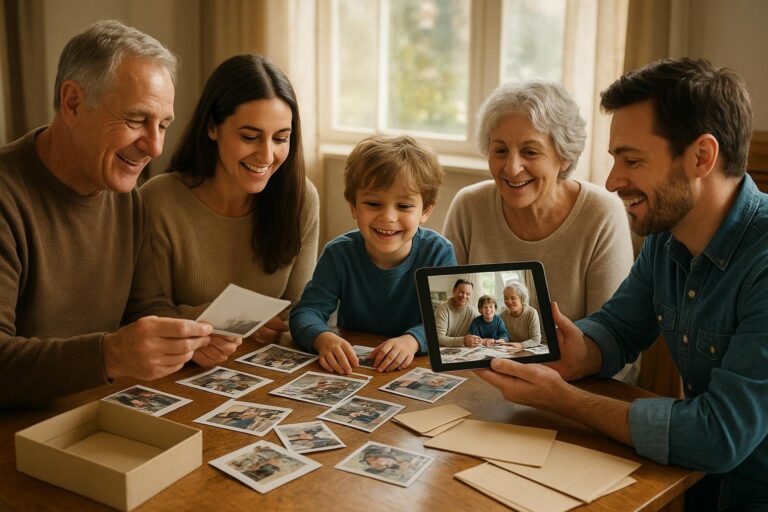
A memorial photo collection is more than a folder of images. It is a way to hold a life together when everyone who loved that person is carrying a different piece of the story. One sibling may have childhood snapshots. A grandchild may have phone videos from a holiday dinner. A neighbor may have the best candid photo from the garden. A longtime friend may remember the person in a season the family barely photographed.
That is why creating the collection can feel both meaningful and overwhelming. You may be working under a deadline for a funeral, celebration of life or family gathering. You may also be thinking beyond the event, wanting to preserve the images so future grandchildren, cousins and relatives can understand who this person was.
The goal is not to make something perfect. The goal is to create something honest, organized and gentle enough to revisit later. This guide walks through a practical way to gather photos, add context, shape a tribute and keep the collection useful after the memorial is over.
Start With the Purpose, Not the Photos
Before you ask everyone to send every image they have, pause and decide what the memorial photo collection needs to do. A collection for a five-minute slideshow is different from a private family archive. A photo table at a church hall is different from a timeline that grandchildren can explore years from now.
Most families need at least one of these three versions:
- A service tribute: A shorter, carefully chosen set of photos or videos for a funeral, memorial service or celebration of life.
- A gathering collection: A broader set that can play quietly during a reception, family meal or open house.
- A lasting family timeline: A private, organized place for photos, dates, videos, stories and collections that can keep growing over time.
When you separate these purposes, you reduce pressure. Not every photo has to fit the slideshow. Not every story has to be told in public. The goofy photo from a fishing trip, the imperfect picture with a finger over the lens and the video of someone singing in the kitchen may not all belong in a formal tribute, but they may be priceless in the family archive.
Choose One Calm Place to Collect Everything
Memorial photos often arrive in the least organized way possible: texts, email attachments, screenshots, social media downloads, scanned prints, cloud links and old camera cards. If no one sets a system, the person organizing the tribute can spend more time hunting than remembering.
Choose one central place where contributions will land. Timeless is designed for families who want to combine family photos in one place, build dated collections and preserve memories privately. You can start from the Timeless home page at https://timeless.mydayzy.com/ or review what it supports at https://timeless.mydayzy.com/features/.
However you collect the media, give family members simple instructions. Ask them to send the best version they have, not five screenshots of the same image. Ask for any known date, place or names. If they are sending a photo of a printed photo, ask them to place it near natural light, keep it flat and avoid glare.
A helpful request might sound like this: Please send up to 20 favorite photos or short videos of Grandma by Friday. If you know the year, place or people in the photo, include that too. Candid moments are welcome. We are creating a memorial collection for the service and a private family timeline for later.
Gather Photos From Every Chapter of Life
A moving memorial collection usually feels balanced. It does not only show the last few years, and it does not only show posed portraits. It helps people recognize the whole person: child, friend, partner, parent, worker, neighbor, hobbyist, mentor and elder.
Use broad chapters to guide what you gather:
- Early life: Baby photos, school pictures, childhood homes, siblings, cousins, early friendships and hometown scenes.
- Young adulthood: Graduation, military service, first jobs, travel, roommates, dating years, early independence and favorite places.
- Family years: Weddings, children, holidays, ordinary weekends, family meals, birthdays, pets and home life.
- Work and service: Career moments, uniforms, colleagues, volunteer roles, community events and accomplishments.
- Friendships: Reunions, clubs, neighbors, trips, shared hobbies and the people who showed up through different seasons.
- Passions: Gardening, music, sports, cooking, crafts, faith communities, books, nature, collections or anything they loved doing.
- Later years: Grandchildren, quiet moments, celebrations, caregiving bonds, milestone birthdays and everyday routines.
This structure helps if you are sorting a large pile of mixed media. It also prevents one branch of the family from unintentionally dominating the story just because they had the most recent phone photos.
Use Dates Even When They Are Approximate
Dates turn a pile of pictures into a life story. You do not need exact dates for every image. Approximate dates are still valuable. A photo marked early 1960s, around 1987 or summer 2004 is easier to place than an undated file with no context.
If you need to add dates to old photos, start with clues. Look at the age of children, cars, furniture, clothing, holiday decorations, house locations and who appears together. Ask relatives to help identify eras rather than exact days. Older family members may not remember the month, but they may remember that a photo was taken before a move, after a wedding or during a particular job.
For digital media, check whether the original file has a date attached. Screenshots and photos-of-photos often lose that information, so write the date in a note or description. If several relatives disagree, keep the most likely range instead of forcing certainty.
Dates matter because memorial collections often become family history. A child who is too young to remember the person now may later want to understand when a photo was taken, who was there and what season of life it represents.
Sort by Story, Not Just by Folder
Traditional folders can be useful, but they can also create dead ends. A photo might belong in Mom, Christmas, 1998, Florida, cousins and favorite recipes all at once. If you only file it in one folder, someone may never find it again.
A timeline-based approach lets families sort photos without folders becoming the whole system. You can keep chronological order, then create collections for specific themes: holidays, military service, grandchildren, best portraits, wedding memories, family homes, favorite vacations or service slideshow candidates.
For a memorial photo collection, this is especially helpful because different relatives will search in different ways. One person may want all photos from the 1970s. Another may want photos with a specific aunt. Another may want every picture of the cabin, the bakery, the farm or the dog who was always under the table.
Think of the timeline as the spine and collections as the chapters you can revisit from different angles.
Create a Curated Set for the Memorial Service
Once the broader collection is gathered, choose a smaller set for the service tribute. This is where editing becomes an act of care. You are not judging the worth of the photos you leave out. You are making the slideshow easier for people to receive in a tender moment.
A service slideshow often works best when it includes a mix of:
- Clear portraits where the person is easy to see.
- Candid photos that show personality.
- Images with close family and friends.
- Photos from different ages and seasons.
- A few meaningful places, objects or activities.
- Short video clips if the setting allows sound or motion.
A good working range is often 50 to 90 photos for a focused tribute, depending on the event length and pacing. If the family wants to include more, consider a second background slideshow for the reception or a private collection people can visit later.
When in doubt, choose emotional variety. A beautiful formal portrait is important, but so is the photo where they are laughing at the kitchen counter. The image that makes everyone say, That is so them, may be the one people remember most.
Build a Simple Life Arc
Chronological order is usually the easiest way to help a room follow a life. Start with early years, move through adulthood and end with later life, legacy and love. You do not have to be rigid. If a theme matters deeply, such as music, faith, service or grandchildren, you can give it a dedicated section.
Here is a simple order that works for many families:
- Opening portrait: One strong image that lets everyone settle.
- Beginnings: Childhood, parents, siblings, school and early places.
- Becoming themselves: Young adult years, work, friendships, travels and defining choices.
- Love and family: Partner, children, extended family, holidays and home life.
- Passions and personality: Hobbies, humor, service, traditions and everyday joys.
- Later years and legacy: Grandchildren, friends, community, milestones and quiet moments.
- Closing image: A peaceful portrait, family group photo or image connected to something they loved.
This structure helps the tribute feel intentional without making it overly produced. Families do not need cinematic effects to tell a powerful story. They need order, context and heart.
Protect Privacy While Inviting Contributions
Memorial planning often happens quickly, and people may share links widely without thinking about privacy. Before inviting contributions, decide who should be able to view, add or download photos. Some images may be too personal for a public memorial page. Some relatives may be comfortable sharing with family but not social media.
When you organize phone photos privately, you can preserve more honest memories without turning everything into a public post. This matters for children in photos, hospital or caregiving images, sensitive family relationships and moments that belong inside the family circle.
Set simple boundaries. For example, the service slideshow can include public-friendly photos, while the private family collection can hold more personal memories. If someone sends an image that feels sensitive, ask before using it in a room full of guests.
Privacy is not about hiding the person’s life. It is about honoring the people still living in the photos and protecting the emotional space around grief.
Add Names, Places and Small Stories
Photos become more valuable when people know what they are looking at. A picture of four cousins on a porch may be sweet today, but without names, it may become a mystery in twenty years. Add context while memories are fresh.
Useful notes include:
- Full names of people in the photo.
- Approximate date or life stage.
- Location, even if it is just the old house on Maple Street.
- Occasion, such as retirement party, Sunday dinner or first trip to the lake.
- A short story, phrase or memory connected to the image.
These details do not need to be long. A note like Grandpa teaching Maya to bait a hook, Lake Anna, around 2012 can preserve a whole relationship. Over time, those captions become the difference between a digital pile and a meaningful family record.
Include Ordinary Moments
Families often start with milestone photos because they are easy to identify: weddings, graduations, birthdays and holidays. Those belong in the collection, but do not stop there. Ordinary photos often carry the strongest sense of presence.
Look for images of the person reading in their chair, stirring sauce, standing in the garage, holding a baby, watering plants, waving from the porch or sitting with the family dog. Look for the expressions people loved: the half smile, the raised eyebrow, the laugh that arrived before the punchline.
Memorial collections are not resumes. They are reminders of how a person moved through the world. The ordinary moments help everyone feel close to them again.
Make Room for Multiple Relationships
Every person is remembered differently. A daughter may remember bedtime stories. A coworker may remember steady leadership. A neighbor may remember borrowed tools and porch conversations. A grandchild may remember pancakes. A friend may remember the road trips no one else knows much about.
A strong memorial photo collection makes space for these different angles. Invite contributions from family, friends, colleagues, community groups and caregivers if appropriate. If the person was part of a faith community, veterans group, club, team or volunteer organization, someone there may have photos the family has never seen.
This is also where collections can help. You might create one collection for work life, one for grandchildren, one for travel, one for holidays and one for favorite candid moments. The same person appears differently in each, and together they feel more whole.
Prepare the Slideshow Without Losing the Archive
Many families rush to make the slideshow and accidentally leave the archive behind. Files stay on one person’s laptop. Texted images remain in old message threads. Printed photos go back into shoeboxes with no notes. Six months later, no one knows where the final version is.
To avoid that, treat the slideshow as one output from the larger memorial photo collection. Keep the original images, the selected slideshow set, any video clips, the final exported slideshow and the notes or captions in an organized place.
If you want a family-friendly way to digitize and organize family memories beyond this one event, Timeless can help you build a private timeline and collections that keep the story usable after the memorial day. You can explore plans at https://timeless.mydayzy.com/pricing/ or begin at https://timeless.mydayzy.com/sign-up/.
Think Beyond the First Week of Grief
In the first days after a loss, the goal may be practical: gather photos, make a tribute, get through the service. Later, the collection may serve a different purpose. It may help grandchildren ask questions. It may help siblings remember stories they had forgotten. It may become part of a family reunion, anniversary remembrance or birthday gathering.
That is why it helps to leave the collection in a state someone can understand later. Add dates where possible. Keep names attached. Preserve videos as well as still photos. Avoid making one person the only keeper of the files.
You may also want to revisit the collection after emotions settle. Families often discover that the first version was shaped by urgency. Months later, someone may find a box of prints, an old phone, a wedding album or a set of vacation videos. A lasting timeline gives those discoveries somewhere to go.
A Gentle Checklist for Building the Collection
If you are starting today, use this simple process:
- Name the purpose: Decide whether you are making a service slideshow, private archive, gathering display or all three.
- Choose a central place: Collect photos and videos somewhere organized instead of scattered across texts and emails.
- Invite contributions: Ask family and friends for favorite images, dates, names and short memories.
- Group by life chapter: Sort into early life, family, work, friendships, passions, later years and legacy.
- Add dates and context: Use exact dates when known and approximate dates when needed.
- Curate the tribute set: Choose a balanced group for the service or gathering.
- Preserve the larger archive: Keep all meaningful contributions, not only the final slideshow images.
- Share thoughtfully: Respect privacy and decide who can view, add or download.
- Keep it growing: Add newly discovered photos and stories over time.
When the Collection Becomes a Gift
Building a memorial photo collection can be emotional work. It may make you laugh, cry, pause and text relatives with questions. It may reveal gaps in the family record. It may also bring forward memories no one expected to see again.
Done with care, the collection becomes more than something shown on a screen. It becomes a place where a life remains visible. It helps people remember not only what someone looked like, but how they loved, worked, played, celebrated, endured and belonged.
Timeless is built for that kind of remembering: dated media, private collections, family timelines, videos, stories and slideshows that can continue long after a single event. If you are ready to turn scattered photos into a lasting family timeline, start with Timeless at https://timeless.mydayzy.com/.
Preserve the memories that matter
Bring photos, videos, dates and stories together privately so your family can remember with more clarity and care.
Frequently Asked Questions
How many photos should be in a memorial photo collection?
For a service slideshow, 50 to 90 photos is usually enough to tell a full story without feeling rushed. For a lasting family collection, include as many meaningful photos and videos as you want, then use a smaller curated set for the public tribute.
What is the best way to organize memorial photos?
Start with broad life chapters such as childhood, family, work, friendships, hobbies, later years and legacy. Add approximate dates where you can, group related moments into collections and keep notes about names, places and stories.
Can I include videos in a memorial collection?
Yes. Short clips can be especially meaningful because they preserve a loved one’s voice, laugh, movement and mannerisms. Use them sparingly in a service slideshow, and keep longer clips in the private family archive.
What if family members disagree about which photos to include?
Create two layers: a broad private archive where everyone’s contributions can live, and a smaller curated slideshow for the service or gathering. This lets the family preserve more memories without making the tribute too long or emotionally overwhelming.
How can Timeless help with memorial photos?
Timeless helps families combine family photos in one place, add dates to old photos, build collections, create timelines and preserve memories privately so the collection can continue after the memorial day.