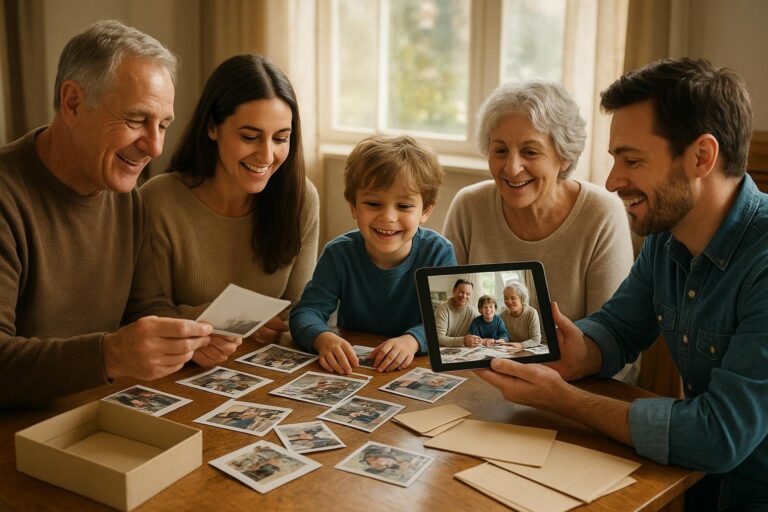
How to Make a Birthday Memory Slideshow That Lasts
A practical guide to building a birthday memory slideshow that feels personal, organized, private, and worth saving long after the candles are blown out.

A birthday memory slideshow sounds simple until you start making one. You open your phone, search for a few favorite pictures, remember that half the good ones are on someone else’s device, then find a scanned photo from 1987 with no date, no names, and no clue where it belongs. Before long, the gift that was supposed to feel joyful starts to feel like a detective project.
The good news is that a moving, polished slideshow does not require perfect archives or weeks of editing. What it does need is a story. A birthday memory slideshow works best when it helps people see a life in motion: the baby photo, the awkward school years, the best friend phase, the first apartment, the little ordinary moments, the family traditions, and the person they are still becoming.
This guide will help you build a birthday slideshow that feels thoughtful instead of random. It focuses on organizing first, choosing with care, protecting privacy, and leaving behind a collection your family can reuse for future birthdays, reunions, memorials, graduation parties, and quiet evenings when someone simply wants to remember.
Start With the Story, Not the Software
Most people start by asking, “What app should I use?” A better first question is, “What do we want everyone to feel?” The answer will shape every choice after that: which photos to include, how many videos to add, whether the tone should be funny or tender, and how long the finished slideshow should run.
For a first birthday, the story might be one year of tiny changes: sleepy newborn stretches, first smiles, messy meals, stroller walks, and the circle of people who showed up. For a 16th or 21st birthday, the story may be about growing independence. For a 40th, 60th, or 80th, it can become a life timeline that honors friendships, work, family, hobbies, and places that mattered.
Before collecting files, write one sentence that describes the slideshow. For example:
- For a child: “A joyful look at the little moments that made this year feel like ours.”
- For a parent: “A thank-you for the years of love, humor, sacrifice, and steady presence.”
- For a grandparent: “A walk through the people, places, and traditions that shaped our family.”
- For a friend: “A celebration of the adventures, inside jokes, and chosen-family moments we have shared.”
That sentence becomes your filter. If a photo does not support the story, it may belong in the larger collection, but not necessarily in the slideshow.
Choose a Structure People Can Follow
A slideshow can be emotional without being complicated. In fact, a clear structure helps guests relax and follow along. You do not need clever effects or constant captions. You need a sequence that makes sense.
Option 1: A simple timeline
The timeline approach is the easiest for milestone birthdays. Start with early photos and move forward through the years. This works especially well for 30th, 50th, 70th, and 90th birthdays because guests enjoy watching eras change: hairstyles, homes, cars, holidays, and family members arriving over time.
If you use Timeless to organize the source material, you can build around dated media instead of dragging images into manual folders. Learn more about the product at https://timeless.mydayzy.com/ and see how date-based organization can support family storytelling.
Option 2: Chapters by relationship
If the birthday person has many different circles, organize the slideshow into chapters: childhood family, siblings, school friends, partner, children, grandchildren, work friends, neighbors, travel, hobbies, and community. This prevents one part of life from taking over the whole video.
Option 3: Chapters by theme
Theme-based slideshows are great for people who have lived many “versions” of life. Try sections such as “Always Laughing,” “The Places You Loved,” “At the Table,” “With the Kids,” “Big Adventures,” and “The Quiet Moments.” This lets you mix decades without confusing viewers.
Option 4: One year in review
For annual birthday traditions, build a short slideshow of the past year. Include first-day-of-school photos, sports, holidays, ordinary weeknight dinners, visits with grandparents, silly selfies, and short video clips. Over time, these yearly slideshows become a family timeline almost by accident.
Gather Photos Without Creating a Mess
The hardest part of making a birthday memory slideshow is usually not the slideshow itself. It is gathering photos from phones, texts, old albums, shared drives, social posts, and relatives who promise they have “a few somewhere.” Give yourself a simple intake process so everything lands in one place.
Start with your own device, then ask a small group of contributors for specific types of photos. Instead of saying, “Send me pictures of Dad,” try “Please send three photos: one funny, one meaningful, and one from a time most people may not have seen.” Specific prompts reduce duplicates and bring out better memories.
If you are asking older relatives to help, make it easy. Offer to scan prints, photograph album pages in good light, or sit together for an hour while they identify people. This is often where the best stories appear. A blurry backyard photo may matter more than a perfect portrait if it shows the birthday person with someone they loved.
As you gather, separate your working set from your full archive. The working set is for the slideshow. The full archive is where you preserve everything else: extra photos, outtakes, scans, videos, and notes. Timeless is designed for families who want to digitize and organize family memories without losing the context that makes them meaningful. You can explore organization tools at https://timeless.mydayzy.com/features/.
How Many Photos Should You Use?
A strong birthday slideshow is usually shorter than people expect. For a party setting, aim for three to seven minutes. That is enough time to create emotion without pulling guests away from conversation for too long.
As a practical rule, plan for one image every four to six seconds. A three-minute slideshow might use 30 to 45 photos. A five-minute slideshow might use 50 to 75. If you include video clips, use fewer still images because videos need room to breathe.
For an intimate family viewing, such as after dinner with grandparents, you can go longer. In that setting, people may want to pause, talk, laugh, and ask questions. But for a surprise party, open house, or restaurant gathering, edit tightly.
When choosing, look for variety:
- A clear baby or early childhood photo, if available
- Photos with parents, siblings, children, grandparents, or close friends
- Images from homes, schools, jobs, hobbies, travels, and traditions
- Everyday moments, not just formal events
- A few funny or unexpected photos that still feel kind
- Recent photos that show who the person is now
Do not include every good picture. Include the right pictures. Save the rest in a dated collection so the slideshow can stay focused while the larger memory set stays protected.
Turn Random Photos Into a Timeline
Families often have thousands of photos but very little order. Some are named “IMG_4821.” Some came from a cousin’s phone. Some scanned images have the date they were scanned, not the date they were taken. If you want the slideshow to feel like a life story, the dates matter.
When exact dates are unknown, use the best available estimate. You can add dates to old photos based on clues: a birthday cake with a numbered candle, a school uniform, a house you moved out of in 1998, a baby in someone’s arms, or a holiday decoration in the background. If you only know the year, that is still useful. If you only know the decade, keep a note.
A practical dating system might look like this:
- Exact date: June 12, 2004, family picnic
- Month and year: July 1989, beach trip
- Approximate year: Around 1975, first apartment
- Life stage: College years, early 1960s
This is where a timeline approach becomes much more useful than a pile of folders. Many families try to sort photos without folders because folders become too rigid. A single image might belong to “Mom,” “Christmas,” “Chicago,” and “1982.” Collections and timelines let you preserve multiple meanings without duplicating files everywhere.
Include Video, Voice, and Short Messages
A slideshow made only of photos can be beautiful, but short video clips bring a person’s presence into the room. Use them sparingly. A five-second clip of someone laughing, dancing in the kitchen, opening a gift, blowing out candles, or telling a joke can be more powerful than a long recorded message.
For milestone birthdays, invite loved ones to send short greetings. Give them a time limit and a prompt. For example: “Please send a 15-second video sharing one thing you love about Maria or one memory that always makes you smile.” Short prompts keep the final video from becoming repetitive.
If someone cannot be at the party, their message can become one of the most meaningful moments in the slideshow. This is especially helpful for military families, long-distance grandparents, adult children who live far away, and friends spread across different cities.
Handle Sensitive Photos With Care
Birthdays can bring up complicated feelings. A life story may include divorce, loss, estrangement, illness, adoption, blended families, or people who are no longer living. A thoughtful slideshow does not need to hide reality, but it should avoid surprising the birthday person with painful images in front of a crowd.
If you are unsure, ask someone close to the person being celebrated. For a surprise slideshow, use judgment and kindness. You can honor a late parent, sibling, spouse, or friend with one or two warm photos without turning the birthday event into a memorial. If your family has already created a memorial photo collection, you may choose a few images from it, but keep the birthday person’s comfort at the center.
Also think about privacy. Children’s bath photos, hospital images, embarrassing teenage moments, or screenshots from private messages may feel funny to one person and invasive to another. The best birthday slideshows make people feel loved, not exposed.
Write Captions That Add Meaning
Captions are helpful when they add context, but they should not cover every image or turn the slideshow into a scrapbook page. Use short, human captions where viewers need help understanding who, where, or why.
Good captions sound like memory notes:
- “First apartment, 1978”
- “The summer of backyard baseball”
- “Grandma teaching Maya the pie crust trick”
- “Every camping trip started with this cooler”
- “Still making everyone laugh”
Avoid captions that explain the obvious, such as “birthday cake” on a photo of a cake. Instead, use captions to preserve details your family might forget. Names, dates, places, and relationships become priceless later.
Pick Music That Supports the Mood
Music can make a birthday memory slideshow feel cinematic, but it should not overpower the photos. Choose songs that fit the person, not just the occasion. A soft instrumental may be better for a family dinner. A lively favorite song may be perfect for a backyard party. For an 80th birthday, music from the person’s young adult years may bring the room alive.
Be mindful if you plan to share the slideshow online or at a venue. Music rights and platform restrictions can affect whether audio plays or whether a video is blocked. For private family viewing, you still want a version saved without relying on a social platform to preserve it.
If the slideshow includes voice messages, lower or remove the background music during those clips. People will forgive simple transitions. They will not forgive being unable to hear Grandma’s message.
Make the Slideshow Easy to Watch at the Party
Even a beautiful slideshow can fall flat if no one can see it. Test the final file before the birthday. Try it on the actual TV, projector, laptop, or digital frame you plan to use. Check the sound, brightness, orientation, and whether the room will be too sunny.
If the slideshow will loop in the background, design it differently than a main-event viewing. A background loop can be longer, quieter, and caption-light. A main-event slideshow should have a clear beginning, middle, and end, with everyone invited to watch together.
Always keep a backup. Save the video in more than one place and bring the cable, adapter, or device you need. If you are presenting at a restaurant, community room, church hall, or rented venue, ask about the display setup ahead of time.
Preserve the Collection After the Birthday
The slideshow is the gift people see. The organized collection is the gift that lasts. After the party, do not let the photos sink back into text threads and downloads. Keep the source images, videos, dates, captions, and contributor details together.
This matters because birthdays often become the moment families finally gather scattered media. Once you have done that work, you can reuse it for future projects: a printed photo book, a family timeline, a reunion display, a graduation slideshow, a memorial tribute, or a private collection for children and grandchildren.
Timeless helps families organize phone photos privately, build dated collections, and turn scattered memories into timelines and slideshows. If you are ready to keep the work going beyond one birthday, you can compare options at https://timeless.mydayzy.com/pricing/ or start at https://timeless.mydayzy.com/sign-up/.
A Simple Weekend Plan
If the birthday is coming soon, you can still make something meaningful. Here is a realistic two-day plan.
- Friday evening: Choose the story sentence and decide whether the structure will be chronological, themed, or relationship-based.
- Saturday morning: Gather 100 to 150 possible photos and videos from your own device and close relatives.
- Saturday afternoon: Remove duplicates, blurry images, and anything too private. Add approximate dates where you can.
- Saturday evening: Choose the strongest 40 to 70 photos and arrange them into chapters.
- Sunday morning: Add short captions, music, and a few video messages.
- Sunday afternoon: Watch the full slideshow twice: once for emotion, once for errors.
- Sunday evening: Export, test on the party screen, and save a backup.
If you have more time, use it for better gathering, not more effects. The biggest improvement usually comes from finding the photo no one expected: the old camping trip, the first car, the kitchen table, the friend who moved away, the grandparent holding the baby, the ordinary scene that suddenly feels precious.
What Makes a Birthday Slideshow Feel Personal?
The difference between a generic slideshow and a memorable one is care. Care shows up in the order, the pacing, the dates, the people included, and the restraint to leave out what does not belong. It shows up when every sibling appears, when chosen family is included, when the birthday person is shown as more than one role, and when the final image feels like a blessing instead of an ending.
Try closing with a recent photo and a simple message such as “Loved through every chapter” or “More memories ahead.” Then let the room respond. People may laugh, cry, clap, or start telling stories. That is the real purpose of a birthday memory slideshow: not just to display the past, but to bring people together around it.
When the candles are out and the guests have gone home, save the slideshow and the organized collection. Next year, you will not be starting from chaos. You will be adding another chapter.
Build the birthday story before the day arrives
Use Timeless to organize dated photos, videos, collections, and family timelines privately, then turn the moments that matter into slideshows worth keeping.
Frequently Asked Questions
How long should a birthday memory slideshow be?
For a party, three to seven minutes is usually best. For a quiet family viewing, it can be longer if people want to pause and talk through the memories.
How many photos do I need for a birthday slideshow?
A focused slideshow often uses 30 to 75 photos, depending on the length and whether you include video clips. Choose the most meaningful images instead of every good picture.
Should a birthday slideshow be chronological?
Chronological order works well for milestone birthdays, but you can also organize by themes, relationships, or chapters of life. The best structure is the one viewers can follow easily.
How do I include old printed photos?
Scan them or photograph them in bright, even light, then add approximate dates, names, and locations where possible. Even partial details help preserve the story.
What should I do with the photos after the birthday?
Keep the source photos, videos, dates, and captions together in a private organized collection so your family can reuse them for future timelines, slideshows, photo books, and memory projects.